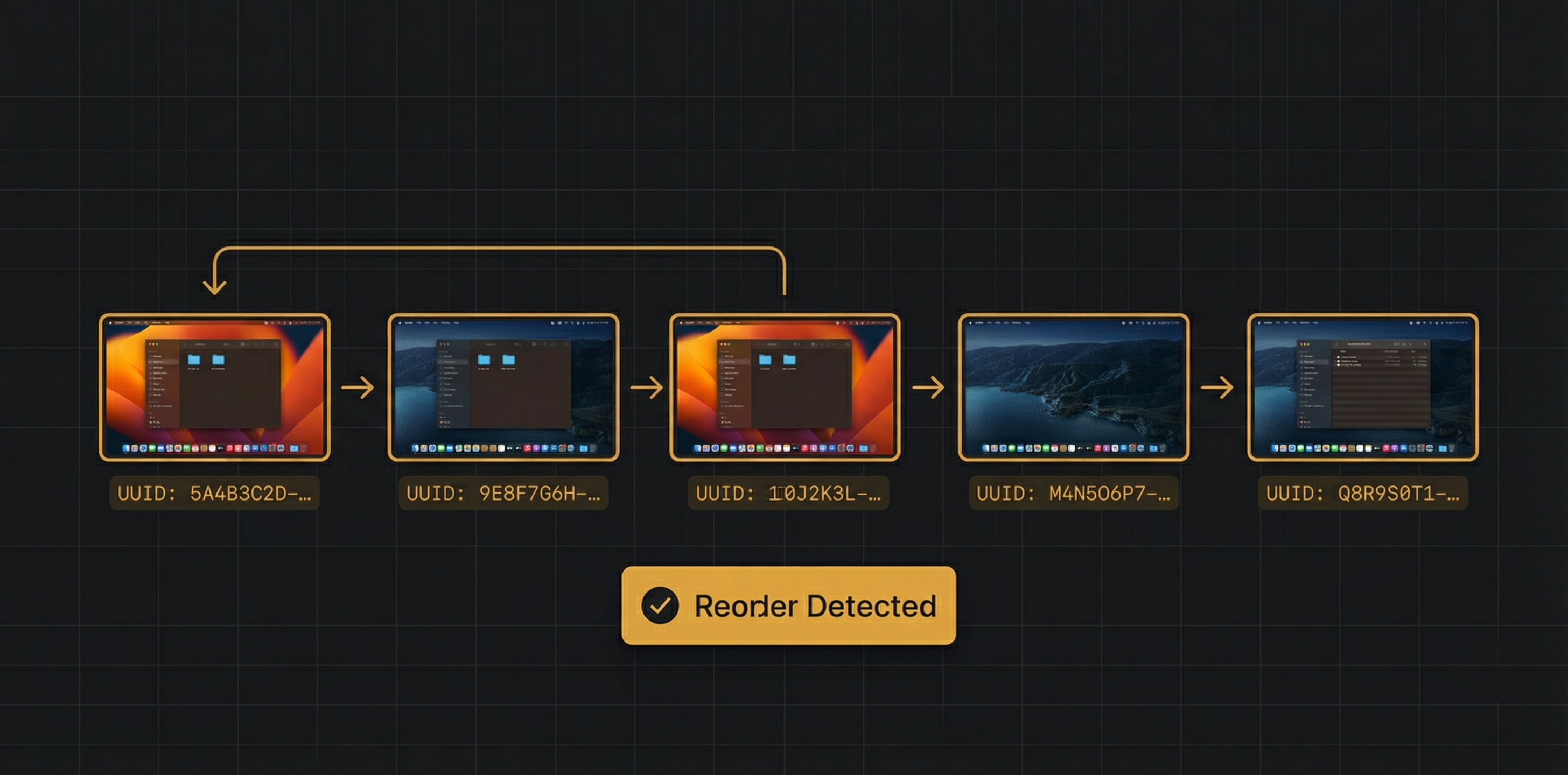
When a macOS user drags Spaces around in Mission Control to reorder them, something subtle but critical happens: every app that tracks Spaces by number gets confused. "Space 3" is now "Space 1", but the app doesn't know that. Notes attached to "Space 3" now show up on the wrong desktop. Progressive dimming history is scrambled. This is the story of how we solved Space reorder detection in SuperDimmer.
The Reorder Problem
macOS lets users drag Spaces in Mission Control to reorder them. There is no notification, no API call, and no system event when this happens. The Space simply moves from one position to another, and every third-party app is left in the dark.
Most apps that work with Spaces track them by number — "Space 1", "Space 2", "Space 3". This works until the user reorders. After a reorder, the Space numbers change but the underlying Space identity doesn't. The Space that was at position 3 (with your coding windows) might now be at position 1, but it's still the same Space with the same windows.
Why This Matters for SuperDimmer
SuperDimmer's Super Spaces HUD stores per-Space notes and visit history. If you wrote "Client project" as the note for Space 3, and then moved that Space to position 1, the note should follow the Space — not stay attached to "position 3". Similarly, progressive dimming tracks which Spaces you visited recently. That history needs to survive reordering.
The Key Insight: Stable Identifiers
Each macOS Space has three identifiers:
- ManagedSpaceID: An integer assigned by the window server (e.g.,
42). This is stable — it doesn't change when the Space moves. - UUID: A universally unique identifier (e.g.,
5A4B3C2D-1E0F-...). Also stable across reorders and even reboots. - Position (Space number): The index in the Spaces array. This changes when the user reorders.
The crucial insight: if the set of UUIDs hasn't changed, but their order has, a reorder occurred. No Spaces were created or destroyed — they just moved.
Our Detection Algorithm
The SpaceChangeMonitor polls the Spaces plist every 500 milliseconds and compares the UUID sequence against the previously known order:
let currentUUIDs = readSpacesFromPlist() // ["A", "B", "C"]
let previousUUIDs = lastKnownOrder // ["B", "A", "C"]
if Set(currentUUIDs) == Set(previousUUIDs) // Same Spaces exist
&& currentUUIDs != previousUUIDs { // But different order
// REORDER DETECTED!
notifyReorderCallbacks()
}
Why Polling?
We'd prefer an event-driven approach, but macOS provides no notification for Space reordering. The activeSpaceDidChangeNotification fires when you switch Spaces, but not when you reorder them in Mission Control. File system watchers on the plist are unreliable because macOS uses a preferences caching system that doesn't always trigger file change events.
Polling at 500ms is a pragmatic choice. It's fast enough that the user never notices a delay — by the time they close Mission Control after reordering, our app has already detected the change. And at 500ms intervals, the overhead is negligible (reading a small plist file is ~2-4ms).
UUID-Based State Migration
Before we solved this problem, SuperDimmer's SpaceVisitTracker stored visit history using Space numbers (integers). This meant reordering broke everything. The migration to UUID-based tracking was a significant architectural change:
Before (Broken by Reorders)
visitHistory = [3, 1, 2, 4] // Space 3 most recent
// After user drags Space 3 to position 1:
// visitHistory still says [3, 1, 2, 4]
// But Space 3 is now at position 1!
// Everything is wrong.
After (Survives Reorders)
visitHistory = ["5A4B...", "2C3D...", "9F1E..."]
// After user drags Spaces around:
// UUIDs don't change!
// "5A4B..." is still the most recently visited Space,
// regardless of its position number.
We also built automatic migration: when the app launches and detects old integer-based visit history in UserDefaults, it converts each integer to the corresponding UUID using the current plist mapping. This means users who update from an older version don't lose their visit history.
The Reorder Callback System
When a reorder is detected, multiple components need to react:
- Super Spaces HUD: Refreshes the visual grid to show Spaces in their new order
- SpaceVisitTracker: Recalculates progressive dimming opacities based on new positions
- Space notes: Re-maps notes to the correct visual positions
- Keyboard shortcuts: Updates the Cmd+N mapping so Cmd+1 goes to whichever Space is now first
All of these consumers register callbacks with SpaceChangeMonitor. When a reorder is detected, callbacks fire synchronously on the main thread, ensuring the UI updates atomically.
Our algorithm distinguishes between reorders and creation/deletion. If the UUID set changes (a new UUID appears or one disappears), that's a Space being created or deleted — not a reorder. We handle these cases separately with different callbacks, because the appropriate UI response is different (e.g., adding a new Space button vs. rearranging existing ones).
Progressive Dimming After Reorder
One of the most satisfying outcomes of UUID-based tracking is that progressive dimming "just works" after a reorder. The opacity formula uses visit recency, not position number:
// Position 0 (current) = 100% opacity
// Position 1 (last visited) = ~97.5% opacity
// Older positions = progressively dimmer
// Unvisited = 50% opacity
opacity = 1.0 - (visitPosition * dimStep)
where dimStep = dimRange / totalSpaces
Because visit history is UUID-based, reordering Spaces doesn't affect the visit order at all. The Space you visited 5 minutes ago is still the Space you visited 5 minutes ago, even if it's now at a different position in Mission Control.
Lessons Learned
- Never use position as identity. This applies broadly in software engineering, but especially with macOS Spaces. Positions change; UUIDs don't.
- Polling is sometimes the right answer. When there's no event system, a carefully tuned poll at 500ms is fast enough and cheap enough to be invisible to the user.
- Build migration paths. When we switched from integer-based to UUID-based tracking, we wrote automatic migration for existing users. This prevented data loss and made the upgrade seamless.
- Test with extreme reordering. We tested moving the first Space to last, the last to first, reversing all Spaces, and rapid successive reorders. Each scenario exposed edge cases we needed to handle.
Try Super Spaces HUD
Experience Space management that survives reordering, with persistent notes, visit-aware dimming, and instant keyboard switching. Free during early access.
Download Free for macOS