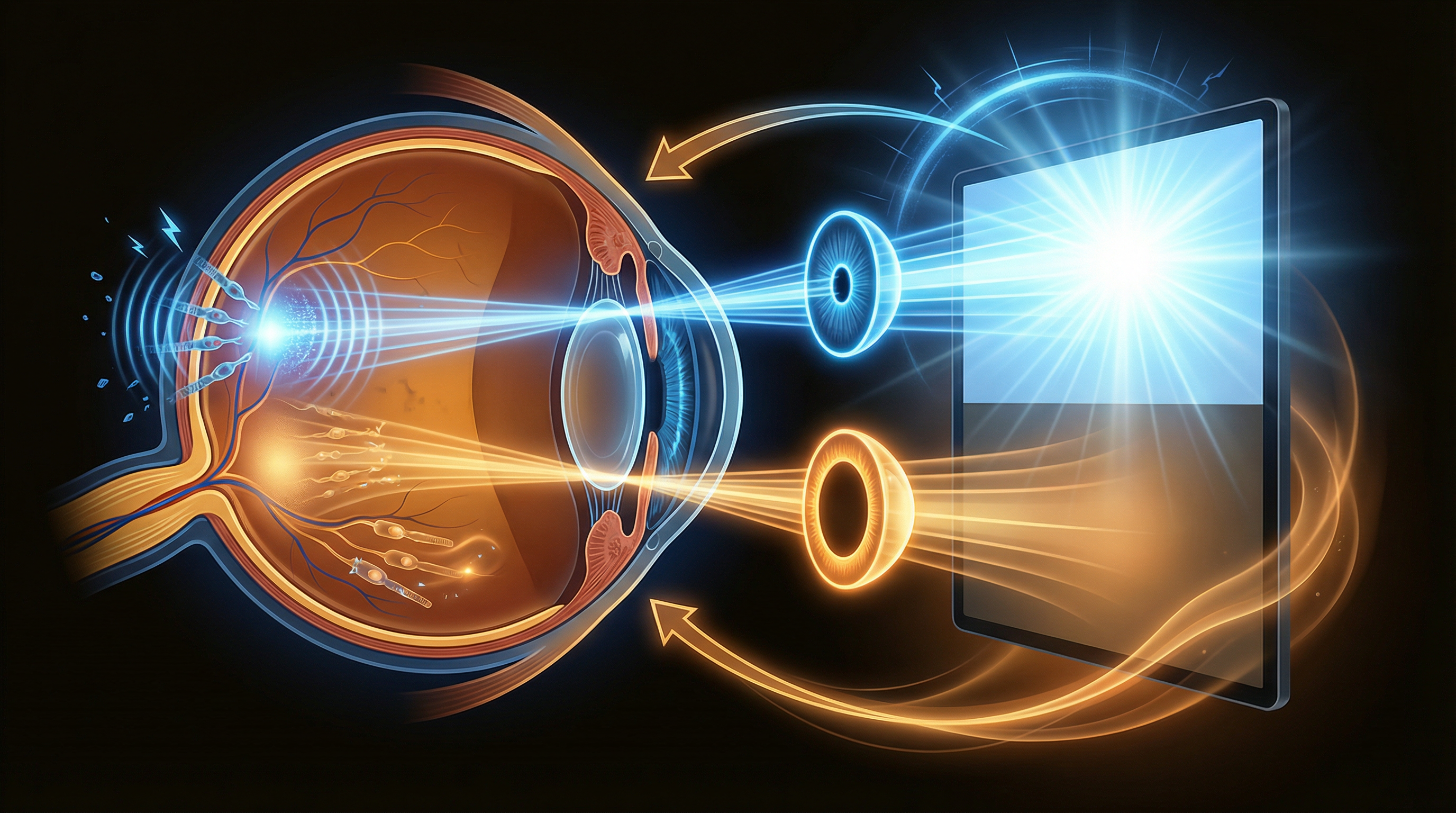
We all know staring at screens causes eye strain. But why, specifically? What is it about a bright display that fatigues your visual system? Understanding the science helps you make better decisions about which tools and techniques actually work.
Let's break down the research.
Luminance: The Brightness Your Eyes See
When we talk about "screen brightness," we're really talking about luminance — the intensity of light emitted per unit area. It's measured in candelas per square meter (cd/m²), sometimes called "nits."
A typical MacBook display at full brightness outputs around 500 nits. The newer MacBook Pro models with XDR displays can peak at 1,600 nits for HDR content. For comparison:
- Comfortable indoor reading: 100-300 nits
- Typical office setting: 200-400 nits
- Sunlit outdoor scene: 5,000-10,000 nits
The key insight is that your eyes adapt to the average brightness of your visual field. When you sit in a dim room but stare at a 500-nit screen, the contrast ratio between the screen and your surroundings can be 50:1 or higher. Your iris muscles are constantly adjusting, trying to find a pupil size that works for both the bright screen and the dark periphery.
The Pupillary Light Reflex
Your pupils constrict in response to bright light and dilate in darkness. This is called the pupillary light reflex, controlled by the iris sphincter and dilator muscles.
When your visual field contains both very bright and very dark regions — like a bright email in a dark-mode interface — your eyes face a dilemma. The pupil can't optimize for both simultaneously. This creates a constant microadjustment cycle that fatigues the iris muscles over time.
Reducing the brightness of only the bright regions (while leaving dark areas alone) reduces the luminance contrast ratio across your visual field. Your pupils can settle at a comfortable middle ground instead of constantly hunting for the right size.
Blue Light: What the Research Actually Says
Blue light has become a hot topic — and an oversimplified one. Here's what the science actually shows:
The Melatonin Connection (Strong Evidence)
Blue light in the 460-480nm wavelength range suppresses melatonin production via intrinsically photosensitive retinal ganglion cells (ipRGCs). These specialized cells connect directly to the suprachiasmatic nucleus, your brain's master clock.
A 2014 study published in the Proceedings of the National Academy of Sciences found that participants who read on light-emitting devices before bed took longer to fall asleep, had reduced melatonin secretion, and felt less alert the next morning compared to those who read printed books.
This is solid evidence. Reducing blue light exposure in the evening hours genuinely helps sleep quality. Color temperature shifting tools (f.lux, Night Shift, SuperDimmer's temperature control) are well-supported by this research.
The Retinal Damage Debate (Weak Evidence for Screens)
Some marketing claims suggest blue light from screens causes retinal damage. The research is more nuanced. Studies showing blue light photodamage typically use intensities far exceeding what screens produce. The American Academy of Ophthalmology has stated that blue light from screens has not been shown to cause eye damage.
That said, brightness itself — regardless of color — does cause eye fatigue. High-luminance areas on your screen cause pupil constriction, ciliary muscle strain, and reduced blink rate. You don't need to be worried about retinal damage to benefit from reduced screen brightness.
Accommodation and the Ciliary Muscle
When you focus on a near object (like a screen 20 inches away), your ciliary muscle contracts to change the shape of your lens. This is called accommodation. Sustaining near focus for hours fatigues this muscle, leading to:
- Blurred distance vision after prolonged screen use
- Eye aching or a feeling of pressure
- Headaches centered around the brow area
This is why the 20-20-20 rule works: looking at a distant object relaxes the ciliary muscle. But reducing the need to focus intently also helps. When bright areas are dimmed to comfortable levels, your eyes don't have to work as hard to process the content, reducing accommodative demand.
Blink Rate and Tear Film
Research consistently shows that screen use reduces blink rate. A normal blink rate is about 15-20 blinks per minute. During focused screen work, this drops to as low as 3-4 blinks per minute — a reduction of up to 80%.
Each blink spreads a fresh layer of tear film across the cornea. Fewer blinks mean the tear film breaks up, exposing the corneal surface and causing dryness, irritation, and the scratchy "tired eye" feeling. Bright screens worsen this because high brightness triggers a squinting response that further disrupts natural blinking patterns.
Practical Implications
Based on the science, here's what actually helps:
- Reduce luminance contrast: Match screen brightness to ambient lighting. Better yet, use selective dimming to reduce bright regions without affecting dark areas. This directly addresses the pupillary adaptation problem.
- Shift color temperature in the evening: This has strong evidence for improving sleep quality. Aim for 2700K-3000K after sunset.
- Follow the 20-20-20 rule: Every 20 minutes, look at something 20 feet away for 20 seconds. This relaxes the ciliary muscle.
- Maintain ambient lighting: Never work in complete darkness with a bright screen. Use bias lighting to reduce the contrast between screen and environment.
- Stay hydrated and blink: Conscious blinking and room humidity both help maintain tear film stability.
The most effective approach combines multiple strategies. SuperDimmer addresses the first two — selective brightness reduction and color temperature control — automatically. Combined with good habits (breaks, ambient lighting, hydration), you can significantly reduce digital eye fatigue.
Protect Your Eyes with Science
SuperDimmer uses the Rec. 709 luminance formula to detect and dim only the bright areas. Science-backed eye comfort, automatically.
Download Free for macOS