Now Free During Early Access

Intelligent Screen Dimming for Your Eyes

SuperDimmer detects bright regions on your screen and dims only what needs dimming. Plus auto-hide inactive apps, color temperature control, and inactivity decay—all working together for the ultimate eye comfort.

4
Core Features
~0%
CPU When Idle
macOS 13+
Compatibility
Bright regions detected • Dimming active
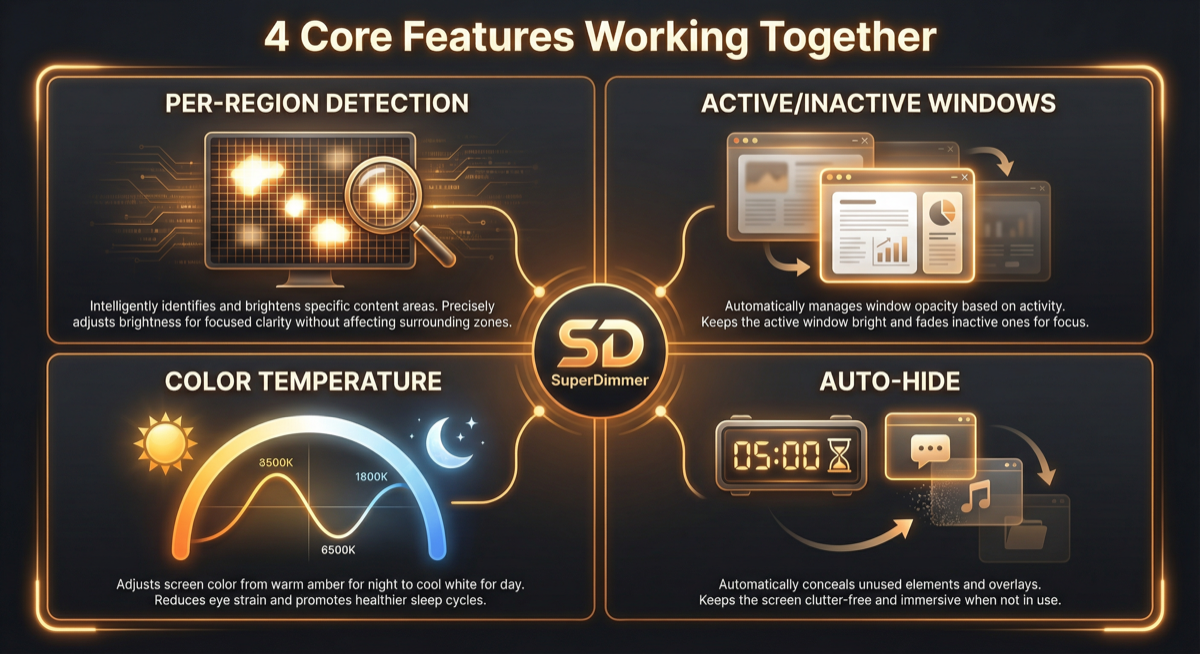
Per-Region Detection
Dark Regions Ignored

See SuperDimmer In Action

Four powerful capabilities working together. Watch how each feature protects your eyes automatically.

🎯 Per-Region Brightness Detection

Scans your screen as a grid (4×4 up to 16×16). Bright regions are detected and dimmed individually—dark areas stay untouched. Perfect for dark mode apps with bright content inside.

☀️ → 🌙

🌡️ Color Temperature Control

f.lux-style blue light filter built in. Shift from 6500K daylight to 1900K candlelight. Schedule automatically based on time or sunrise/sunset at your location.

🧭
✉️
📝
Inactive apps hidden after 5 min

👻 Auto-Hide Inactive Apps

Apps you haven't touched for 5+ minutes? Hidden automatically (like pressing ⌘H). Keeps your workspace clean. Configure the delay or exclude specific apps.
50% dim 25% dim Active ✨

🪟 Active vs Inactive Windows

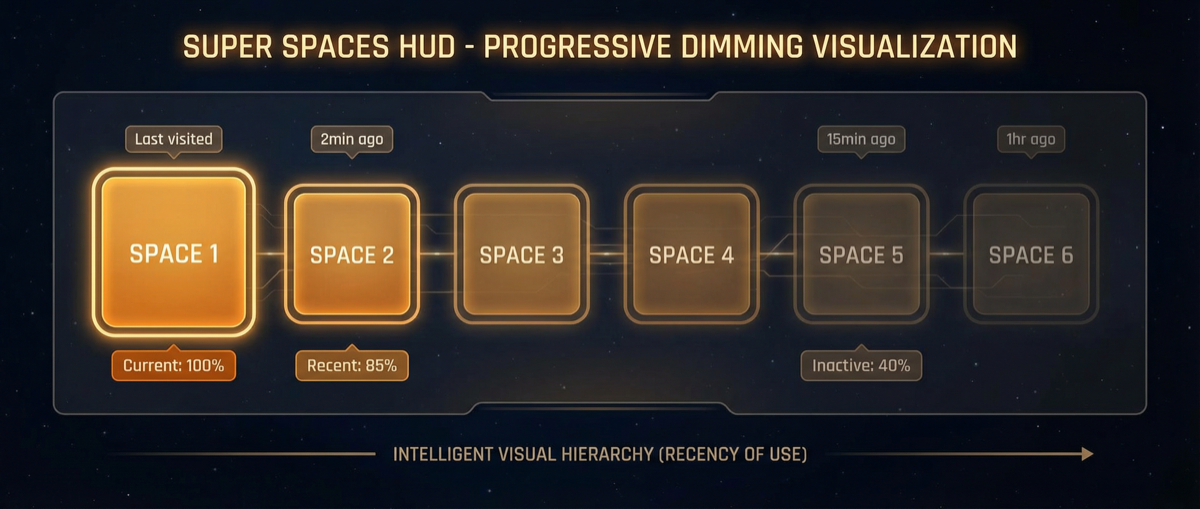
Front window stays bright and clear. Background windows automatically dim based on how long they've been inactive. Click any window to instantly restore it. Focus naturally follows your attention.

Every Feature You Need

SuperDimmer packs serious functionality into a lightweight menu bar app.

Per-Window Dimming

Different dim levels for active vs inactive windows. Focus on your current task while background windows fade away.

Sunrise/Sunset Scheduling

Uses your location to calculate sun times. Automatically shifts color temperature as the day progresses.

Excluded Apps List

Some apps shouldn't be dimmed (video players, color-critical work). Add them to the exclusion list with one click.

Multi-Display Support

Works across all your monitors. Each display is analyzed and dimmed independently.

Configurable Grid Precision

Choose detection grid from 4×4 (fast) to 16×16 (precise). Balance between accuracy and performance.

Launch at Login

Set it once, forget about it. SuperDimmer starts automatically when you log in and sits quietly in your menu bar.

Simple to Get Started

Up and running in under a minute. One permission, then set and forget.

1

Download & Install

Download the DMG, drag to Applications, launch. That's it.

2

Grant Permission

Allow Screen Recording for brightness detection. Location for sunrise/sunset (optional).

3

Adjust Settings

Set your brightness threshold, dim levels, and enable the features you want.

4

Enjoy Comfort

SuperDimmer works automatically in the background. Your eyes will thank you.

Currently 100% Free

All features unlocked during our early access period. No license required.

🎉 Early Access — Everything Free

We're in early access, which means you get every Pro feature at no cost. Help us improve SuperDimmer with your feedback!

Download Now — It's Free!

Ready for Comfortable Viewing?

Download SuperDimmer today and experience intelligent screen dimming. Your eyes deserve the break.

Requires macOS 13 Ventura or later